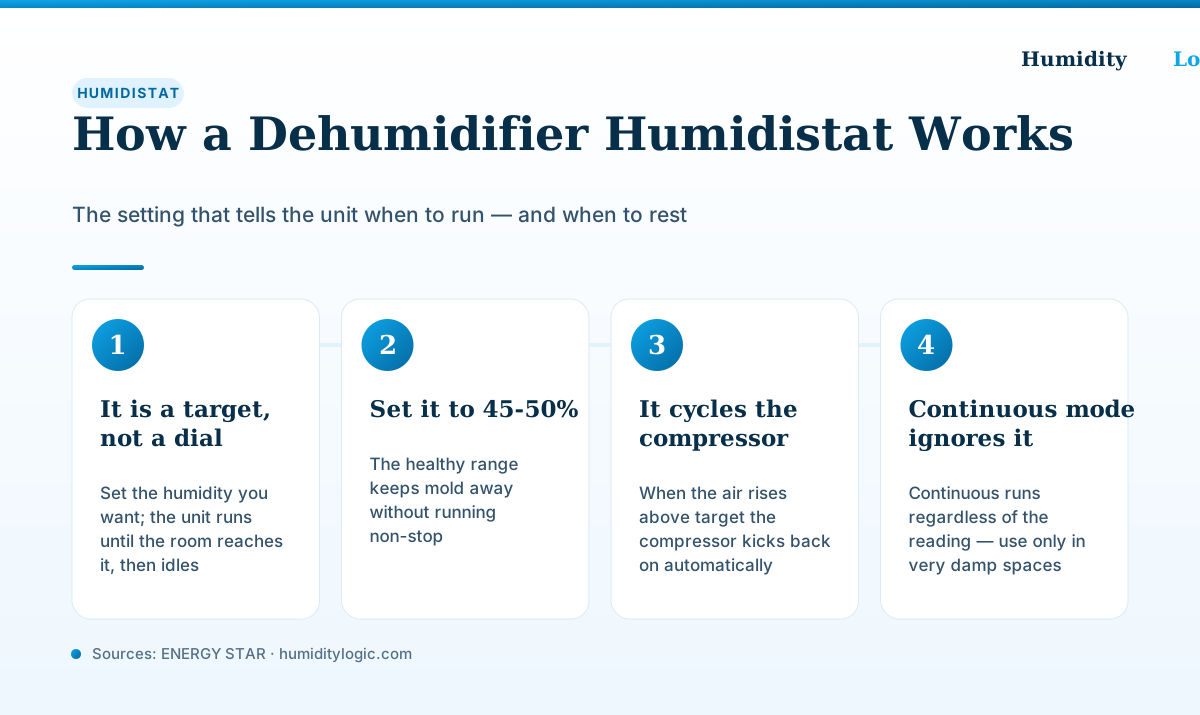
A dehumidifier humidistat is a thermostat for moisture: instead of setting a temperature, you set a target relative humidity, and the unit runs until the room reaches it, then idles. Set it to 45–50% for most homes. When the air drifts back above your target, the humidistat senses it and switches the compressor on again — so you pick a humidity level once and let the machine hold it automatically.
If you have ever wondered why your dehumidifier sometimes sits silent and other times runs for hours, the humidistat is the answer. Understanding it clears up the two most common complaints — a unit that “won’t turn on” and one that “runs constantly” — because both are usually the humidistat doing exactly what it was told. The sections below explain how it senses and cycles the unit, what number to set, and how analog dials differ from digital displays.
What is a humidistat and how does it work?
A humidistat is the sensor-and-switch combination that measures the relative humidity of the air and turns the dehumidifier’s compressor on or off to keep that reading near a target you choose. It is the moisture equivalent of the thermostat on your wall: a thermostat compares the room temperature to a set temperature and cycles the furnace; a humidistat compares the room humidity to a set humidity and cycles the compressor.
The behavior is fully automatic. As ENERGY STAR describes it, “All ENERGY STAR dehumidifiers include a built-in humidistat, a device that allows you to set the desired RH level that you would like for the room. Once the room reaches the desired RH level, the dehumidifier will cycle on and off automatically to maintain the level.” You are not switching the unit on and off by hand — you set the target and the humidistat does the switching.
This is the single most important idea about running a dehumidifier: you choose a humidity level, not a run time. How many hours the unit ends up running is a result of your target and the conditions, not something you dial in directly. For more on how that plays out over a day, see how long to run a dehumidifier.
How does the humidistat cycle the compressor on and off?
The humidistat works on a small dead band around your set point so the compressor is not flickering on and off every few seconds. On a typical modern unit, GE Appliances explains that the dehumidifier “will cycle off when the set humidity level is reached. It will cycle back on when it detects humidity level has increased to 5% greater than the set level.”
In plain terms, if you set 50%, the compressor runs until the room hits 50%, shuts off, and then waits. Only when moisture creeps back up to around 55% does it start again, pull the room back down to 50%, and rest once more. That on-rest-on rhythm is the humidistat holding a steady band, and it is why a healthy dehumidifier spends a good part of the day silent rather than roaring non-stop.
Older units sometimes label the control 1–10 instead of showing a percentage, but the logic is identical — GE notes that on those, “the humidity control automatically maintains the selected humidity level; it starts the dehumidifier when the humidity is high and shuts it off when the humidity is low.” Higher numbers simply mean a drier target.
What number should I set the humidistat to?
Set the humidistat to 45–50% relative humidity for most homes. That sits comfortably inside the range ENERGY STAR calls the sweet spot: “The optimum RH level for a building is generally considered to be between 30% and 50%,” and “anything above this range may promote mold growth.” Staying at 45–50% keeps you clear of that mold threshold without over-drying.
The EPA likewise advises keeping indoor humidity below 60 percent, ideally between 30 and 50 percent. The practical rule is simple:
- Below 60% — the ceiling. Mold and dust mites become much more likely above this, so 60% is the number you never want to drift over.
- 45–50% — the everyday target. Comfortable, mold-safe, and efficient.
- 30–40% — a temporary “dry it out fast” setting for a space that starts out very damp, then move it back up.
Going lower than you need does not make the room healthier — it just makes the compressor run longer and raises your bill. A right-sized unit matters here too, because an undersized one will chase a target it can never quite reach; the dehumidifier size calculator and our guide on what size dehumidifier you need can help you match the unit to the room.
Why won’t my dehumidifier turn on?
The most common reason a dehumidifier “won’t turn on” is that the room is already drier than the target, so the humidistat correctly keeps the compressor off. If it is set to 50% and the air is sitting at 45%, the unit has nothing to do. Nothing is broken — the humidistat is simply not seeing a reason to run.
To confirm, turn the setting down several points (or, on a dial, toward “high” or “max”). Within a minute or two the compressor should start on a working unit. If it still refuses to run even with the target well below the room’s actual humidity, that points past the humidistat to the compressor, fan, or controls — our guides on a dehumidifier running constantly and a dehumidifier fan not working cover what to check next.
Why does my dehumidifier run constantly?
The flip side is a unit that seems to never shut off. There are two usual causes, and both trace back to the humidistat. The first is that the target is set too low for the space — asking for 35% in a damp summer basement can mean the compressor runs nearly all day trying to reach a number it may never hit. Nudging the target up to 50% often lets it start cycling off.
The second is that the space is genuinely too damp for the unit to catch up, at least for now. During a very humid stretch this can be normal: GE notes that “continuous operation of the dehumidifier during such humid periods is normal and necessary to maintain desired humidity levels,” because humid air keeps entering through walls, doors, and windows. If it never catches up even in average weather, the unit may be undersized or fighting a moisture source like a leak — the running-constantly troubleshooting guide walks through it.
What is continuous mode, and why does it ignore the humidistat?
Continuous mode is a separate setting that tells the unit to run non-stop regardless of the humidistat reading. It bypasses your target entirely: the compressor stays on whether the room is at 70% or 40%. That is the opposite of normal humidistat control, which is why a unit in continuous mode never seems to shut off even after the air feels dry.
Continuous mode has a real use — it is meant for drying out a space that starts very wet, like a basement after flooding or the first day or two with a brand-new unit in a damp room. In those cases you want maximum removal without waiting for the humidistat to cycle. But it is not an everyday setting. Once the room is near your target, switch back to a humidistat percentage so the unit can rest, save electricity, and avoid over-drying the air.
Analog dial vs. digital %RH: does it matter?
Two styles of humidistat show up on home dehumidifiers, and they cycle the compressor exactly the same way — the difference is only how you tell them what you want.
- Digital %RH — a display and buttons that set an actual percentage, often alongside the room’s current reading. This is the easiest to dial in precisely: you press until it reads 50% and you are done.
- Analog dial — an unmarked knob, usually running from “low” to “high” or 1 to 10. There is no percentage shown, so you set it by feel: start in the middle, then turn drier or damper over a day or two based on how the space reads on a separate hygrometer.
Neither is more accurate at controlling humidity once set correctly; the digital version just removes the guesswork of translating a knob position into a real humidity level. If you run an analog unit, a cheap standalone hygrometer in the same room turns that guesswork into a number you can actually target.
The bottom line
A humidistat is a thermostat for moisture: you set a target relative humidity, and the unit senses the air and cycles the compressor on and off to hold it. Set it to 45–50% to stay mold-safe and efficient, treat a unit that “won’t turn on” or “runs constantly” as the humidistat responding to conditions before assuming a fault, and save continuous mode for drying out genuinely wet spaces. Understanding this one control is most of what it takes to run a dehumidifier well — and it pairs naturally with knowing how a dehumidifier works in the first place.
Frequently asked questions
What is a humidistat on a dehumidifier?
A humidistat is the control that sets a target relative humidity, like a thermostat for moisture. You choose the humidity level you want, and the humidistat senses the air and switches the compressor on when the room is too damp and off once it reaches your target. On ENERGY STAR units it is built in, and the unit cycles on and off automatically to hold the level you set.
What should I set my dehumidifier humidistat to?
Set it to 45 to 50 percent relative humidity for most homes. That sits inside the 30 to 50 percent range ENERGY STAR calls optimum for a building and keeps you well under the 60 percent where mold risk climbs. Chasing a much lower number like 30 percent mostly just makes the unit run longer and cost more.
Why won't my dehumidifier turn on even though it has power?
The most common reason is that the room is already drier than your target. If the humidistat is set to 50 percent and the air is at 45 percent, the unit sees no reason to run and stays idle — that is correct behavior, not a fault. Lower the setting a few points and, if it is right-sized, the compressor should kick on within a minute or two.
What does continuous mode do on a dehumidifier?
Continuous mode tells the unit to run regardless of the humidistat reading. It ignores your target and dehumidifies non-stop, which is useful for the first day or two of drying out a very damp basement or a flooded space. For everyday use, switch back to a humidistat target so the unit can cycle off and save electricity once the air is dry.
Is an analog dial or a digital percent humidistat better?
A digital humidistat that shows and sets an actual percent relative humidity is easier to dial in accurately. Analog dials are usually unmarked knobs from low to high, so you set them by trial and error and adjust based on how the space feels. Both cycle the compressor the same way; the digital display just removes the guesswork.
Sources & references
Every figure on this page is checked against these published sources. Last reviewed August 3, 2026.